
How to Work Remotely from a Cruise—Everything You Need to Know
By iCruiseApp Travel & Tours··4 min read
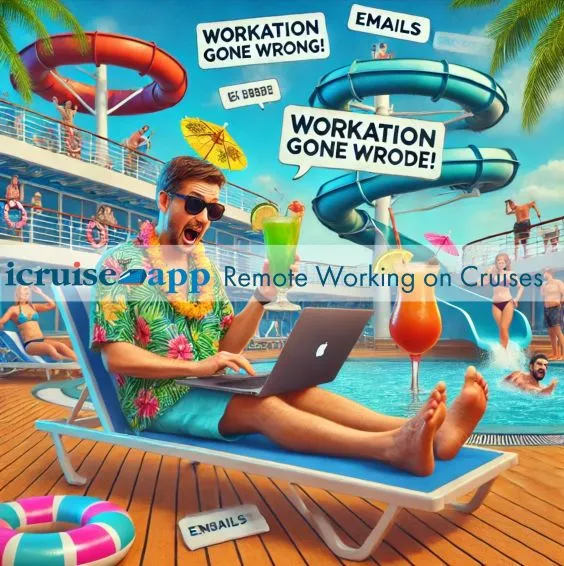
Imagine sailing the world while working remotely, enjoying stunning ocean views, gourmet dining, and exciting destinations—all without missing a deadline. With advancements in onboard Wi-Fi and remote work flexibility, cruising has become a viable and exciting option for digital nomads, remote employees, and entrepreneurs.
At iCruiseApp.com, we help travelers find the best cruise ships for working remotely, compare Wi-Fi options, and get real traveler insights to ensure a smooth work-travel experience. Here’s how to stay productive while living the cruise life!
Step 1: Choose the Right Cruise Ship for Remote Work
Not all cruise ships are equipped for remote work. Some have fast Wi-Fi and quiet workspaces, while others have spotty connectivity and loud public areas.
✔ Best Cruise Lines for Remote Workers:
Royal Caribbean – Ships with Starlink internet for faster speeds.
Celebrity Cruises – High-speed Wi-Fi and luxury coworking spaces.
Virgin Voyages – Modern work-friendly lounges with plenty of outlets.
Norwegian Cruise Line (NCL) – Affordable Wi-Fi packages for long-term cruisers.
🚨 Things to Consider:
Newer ships usually have better Wi-Fi and stronger internet reliability.
Some cruises offer unlimited Wi-Fi, while others charge per device.
🎯 Pro Tip: Use iCruiseApp’s Comparison Tool to compare cruise lines and Wi-Fi options for remote work.
Step 2: Ensure Reliable Internet Connectivity
✔ Wi-Fi Options at Sea:
Basic Wi-Fi: Good for email, browsing, and messaging apps.
Premium Wi-Fi: Allows video calls, VPN access, and streaming.
Starlink Internet: Faster satellite-based Wi-Fi available on select cruise lines.
✔ Backup Connectivity Options:
Use mobile data hotspots while docked.
Research onshore cafés with strong Wi-Fi at each port.
🎯 Pro Tip: Check Traveler Reviews to see real experiences with cruise Wi-Fi before booking.
Step 3: Find the Best Workspace Onboard
✔ Quiet Work-Friendly Spaces on a Cruise:
Ship Libraries – Low-traffic and quiet.
Specialty Lounges & Cafés – Some offer comfortable seating with power outlets.
Your Cabin – Upgrade to a balcony room for peaceful ocean views.
✔ What to Avoid:
Poolside areas (too loud and distracting).
Buffet dining rooms (crowded and not ideal for focus).
Deck lounges (wind, sun glare, and background noise).
🎯 Pro Tip: Bring noise-canceling headphones to block out onboard distractions.
Step 4: Plan Your Work Schedule Around Cruise Life
✔ Time Zone Considerations:
Many cruises cross multiple time zones, so adjust meeting times accordingly.
Use a world clock app to track your work schedule while sailing.
✔ Balancing Work & Fun:
Work during sea days, so you can enjoy excursions on port days.
Block focused work hours in the morning, leaving afternoons free.
Plan meetings around ship activities, so you don’t miss out on events!
🎯 Pro Tip: Use iCruiseApp’s Explore Feature to find itineraries with multiple sea days for a better work-life balance.
Step 5: Pack Smart for a Remote Work Cruise
✔ Tech Essentials for Working Remotely at Sea:
Laptop & charger with extra-long cable.
Portable power bank for working in public areas.
Universal adapter (some ships use different outlet types).
Noise-canceling headphones (for focusing in shared spaces).
VPN service (for secure internet browsing).
🚨 What NOT to Pack:
Personal Wi-Fi hotspots (they won’t work at sea).
Extra monitors (cabins have limited workspace).
🎯 Pro Tip: Use a virtual background for video calls if you’re working from a poolside bar or your cabin!
Step 6: Secure Your Devices & Data
✔ Safety Tips for Digital Nomads at Sea:
Use a VPN for secure browsing.
Lock your devices in the cabin safe when not in use.
Avoid public Wi-Fi connections in port without security measures.
🚨 Data Loss Prevention:
Save work files offline in case of internet interruptions.
Schedule automatic backups to the cloud or an external drive.
🎯 Pro Tip: Check iCruiseApp’s Traveler Reviews to see which ships have the most secure Wi-Fi connections.
Step 7: Enjoy the Perks of Working from a Cruise!
✔ Benefits of a Remote Work Cruise:
Work from tropical destinations instead of a home office.
All-inclusive lifestyle—food, entertainment, and accommodations in one price.
Social networking with fellow travelers & digital nomads.
✔ Best Cruises for Long-Term Remote Work:
World Cruises – Live & work at sea for months.
Repositioning Cruises – Long sea days = perfect for focused work.
Luxury Lines (Silversea, Regent) – More personalized service & quiet spaces.
🎯 Pro Tip: Use iCruiseApp’s Explore Feature to find long-haul cruises ideal for remote work!
Final Thoughts: Cruise & Work Like a Pro
Remote work from a cruise is absolutely possible with the right planning and ship selection. Whether you’re a digital nomad or just need to take a few meetings on vacation, these tips will help you stay productive while enjoying the cruise lifestyle. 🚢 Looking for the best cruises for remote work? Use the Explore Feature to find work-friendly cruises with the best Wi-Fi & workspaces!